Create a Family Tree and Add Members
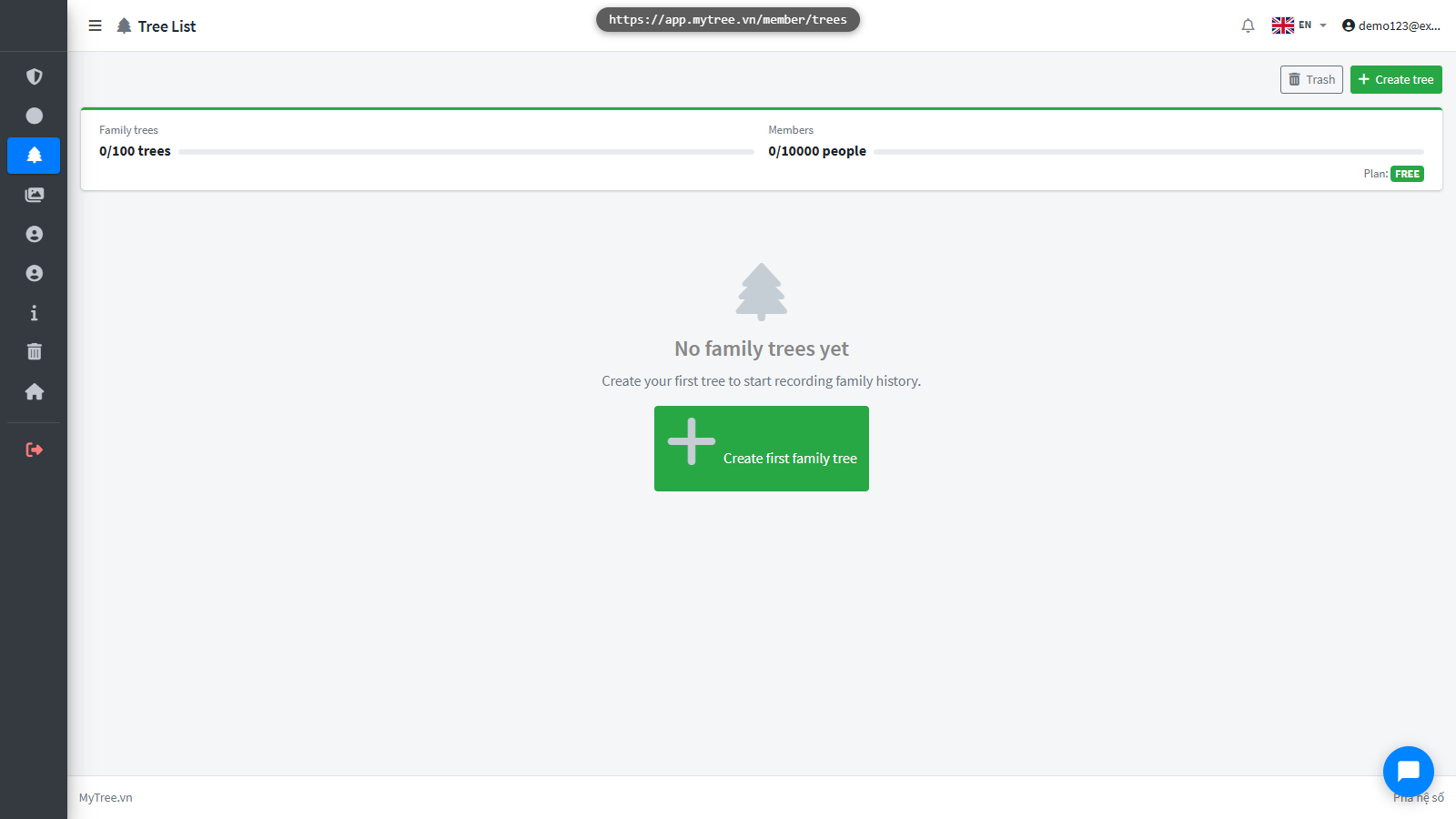
Step 1: Empty Tree List
This is the family tree management page. Let's create your first tree.
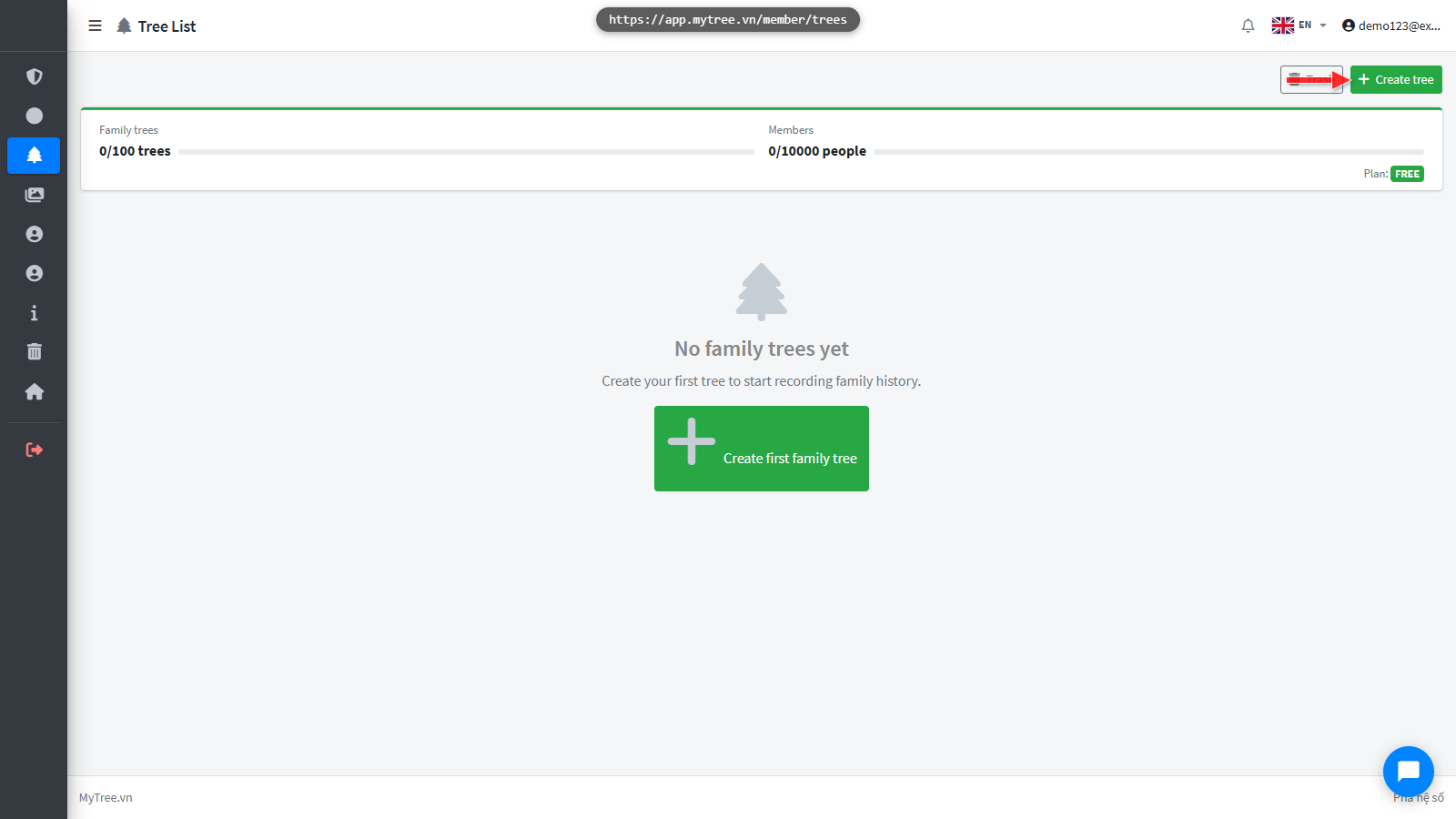
Step 2: Click Create New Tree
Click the Create New Tree button.
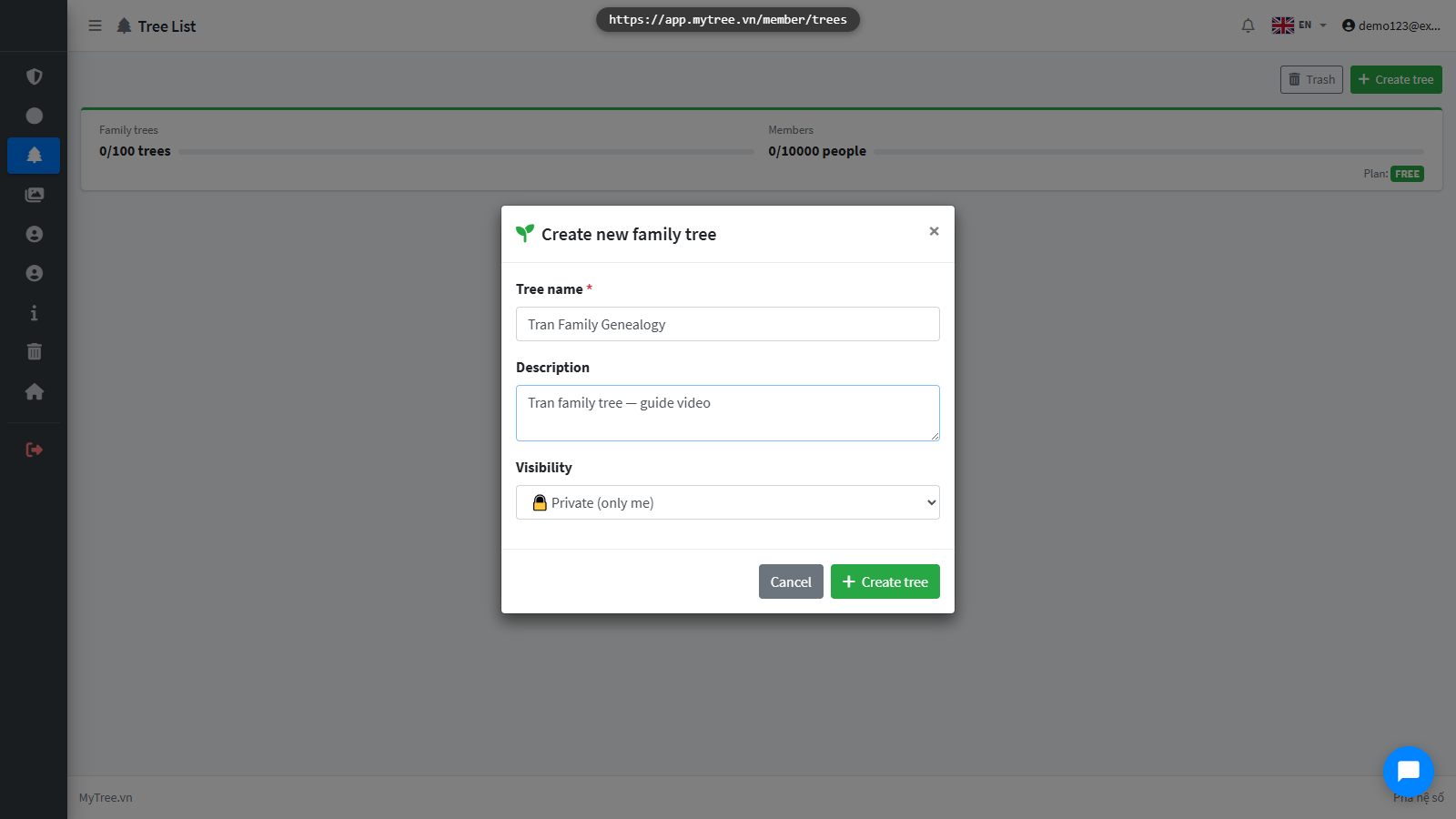
Step 3: Fill Tree Name and Description
Add a short description if you like, then click Create Tree.
Step 4: Empty Tree View After Creation
The new family tree has been created. This is the tree editor where you can add members.
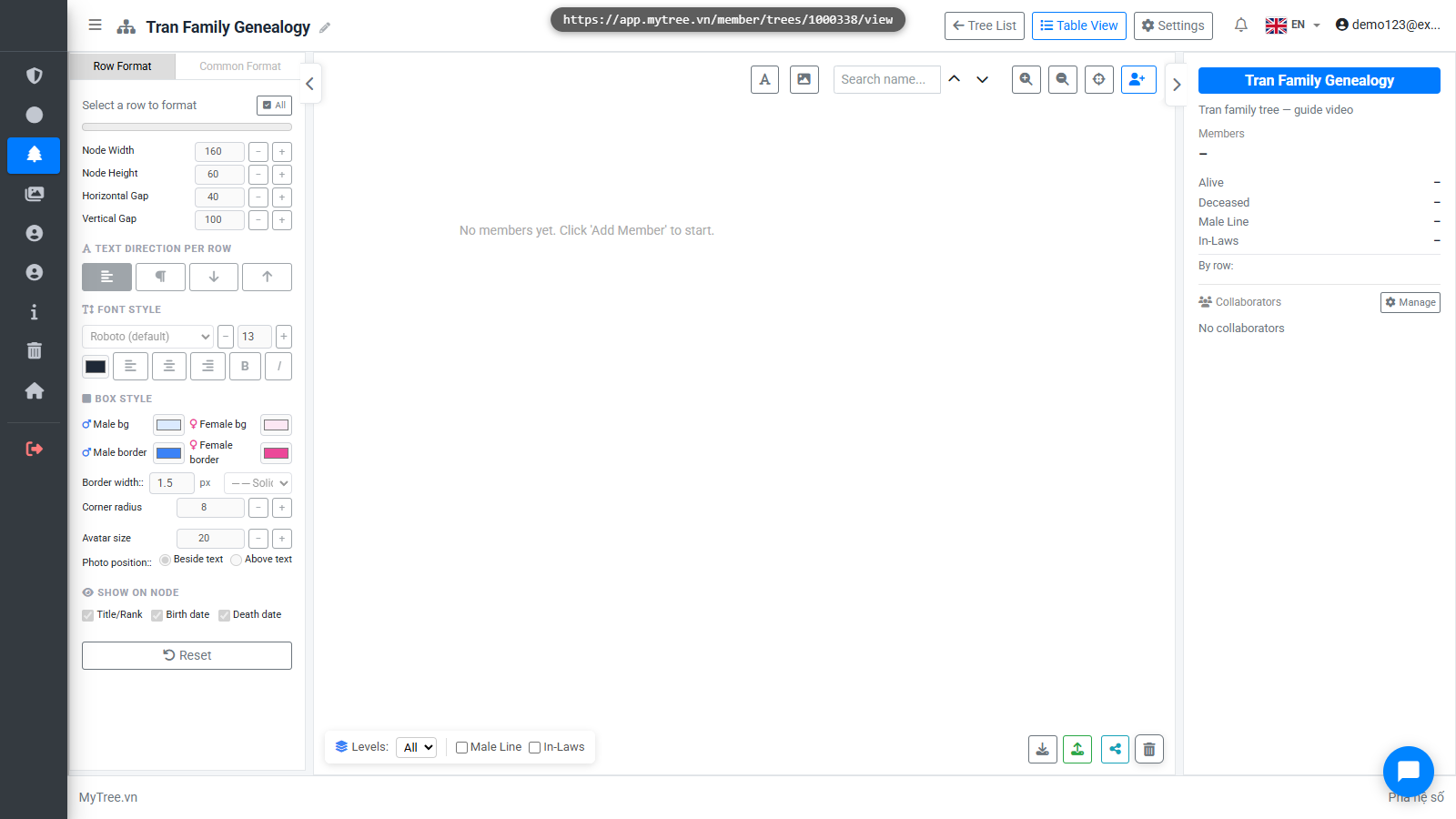
Step 5: Click Add Member
Click Add Member to add the first person — usually the founding ancestor of the family.
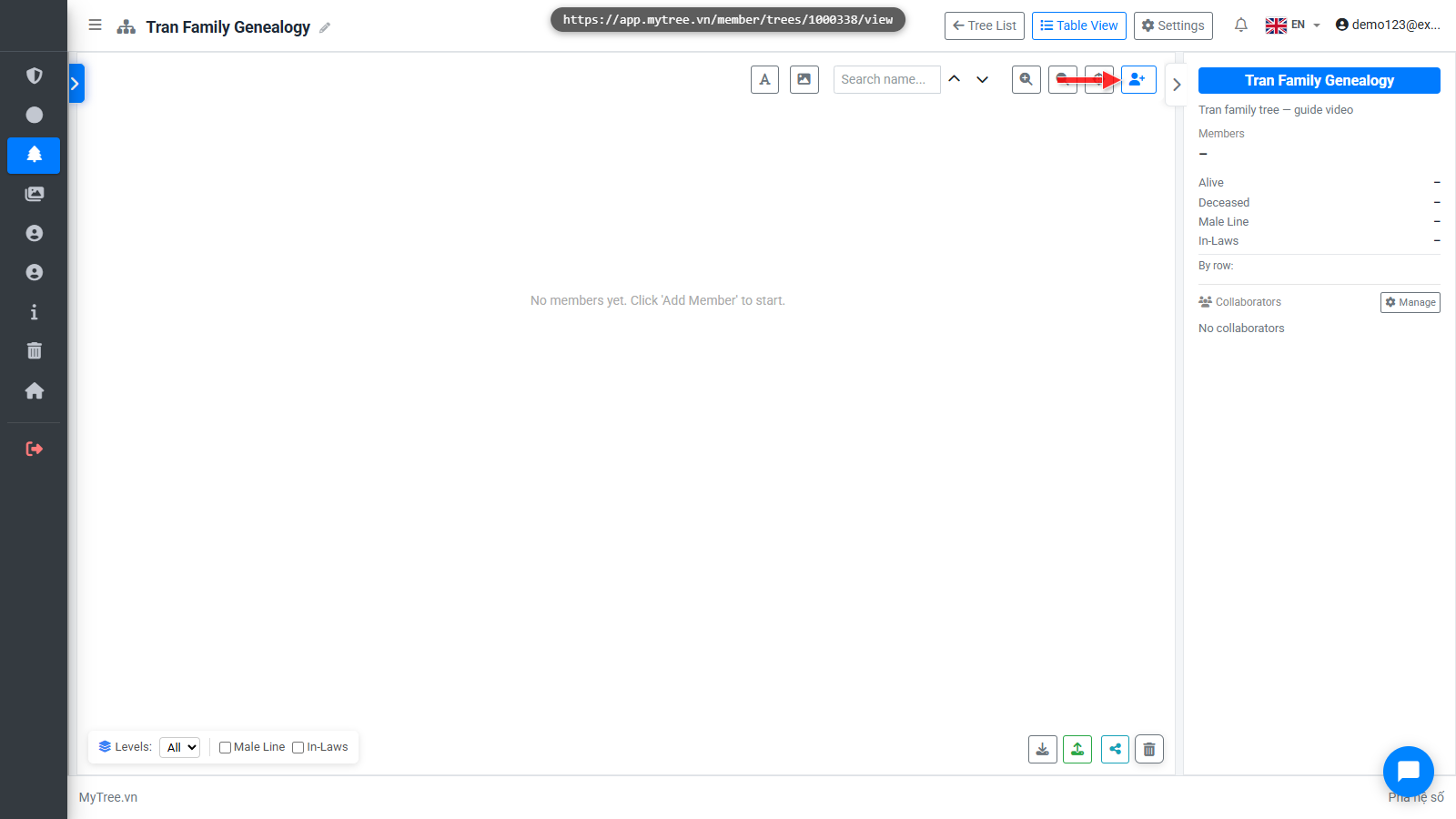
Step 6: Root Member Form Filled
Enter the birth year. If you don't remember the exact date, use the text field — for example: around 1880.
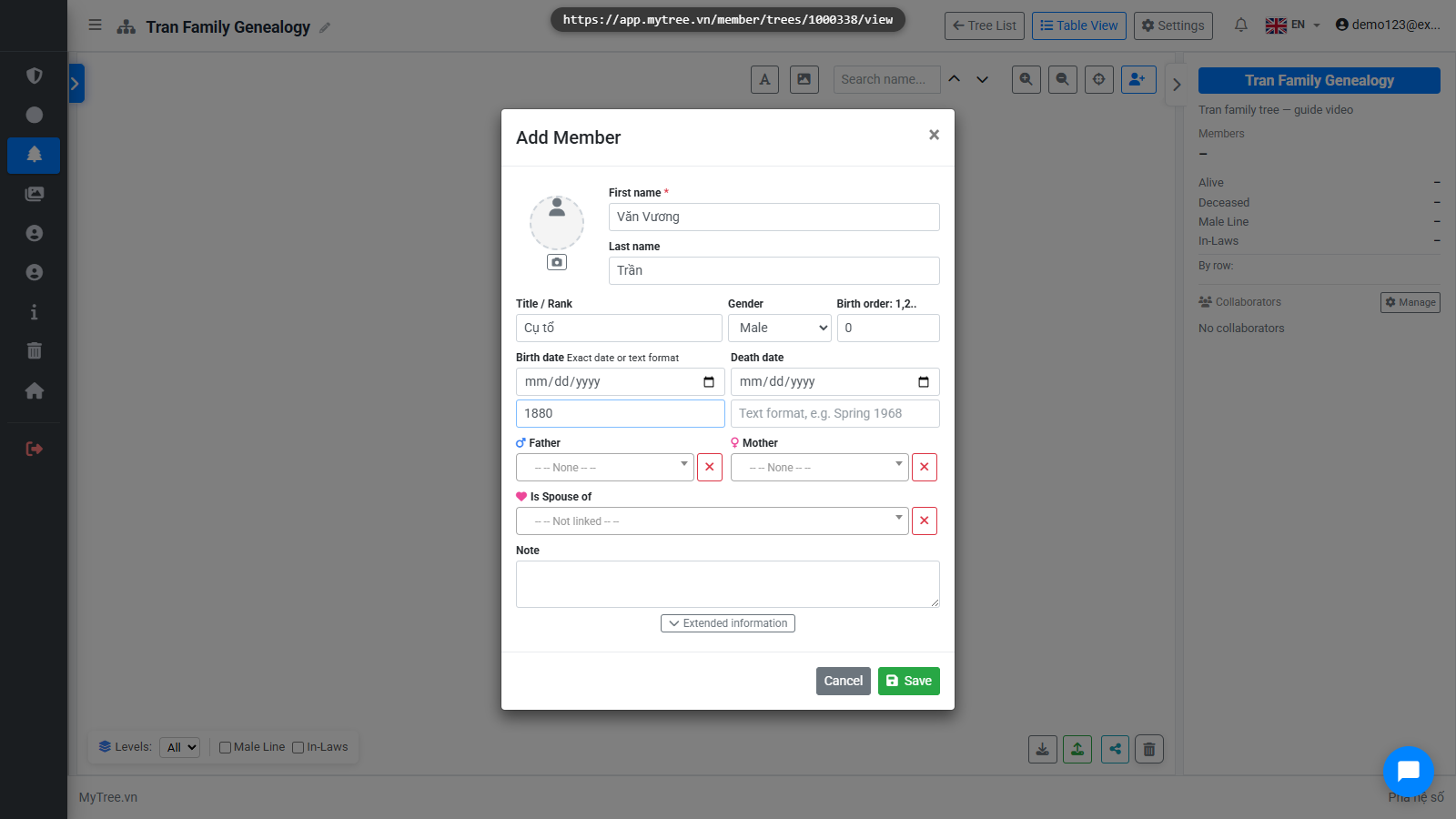
Step 7: Root Member on Tree
The root member has appeared on the tree. Next we'll add children to this member.
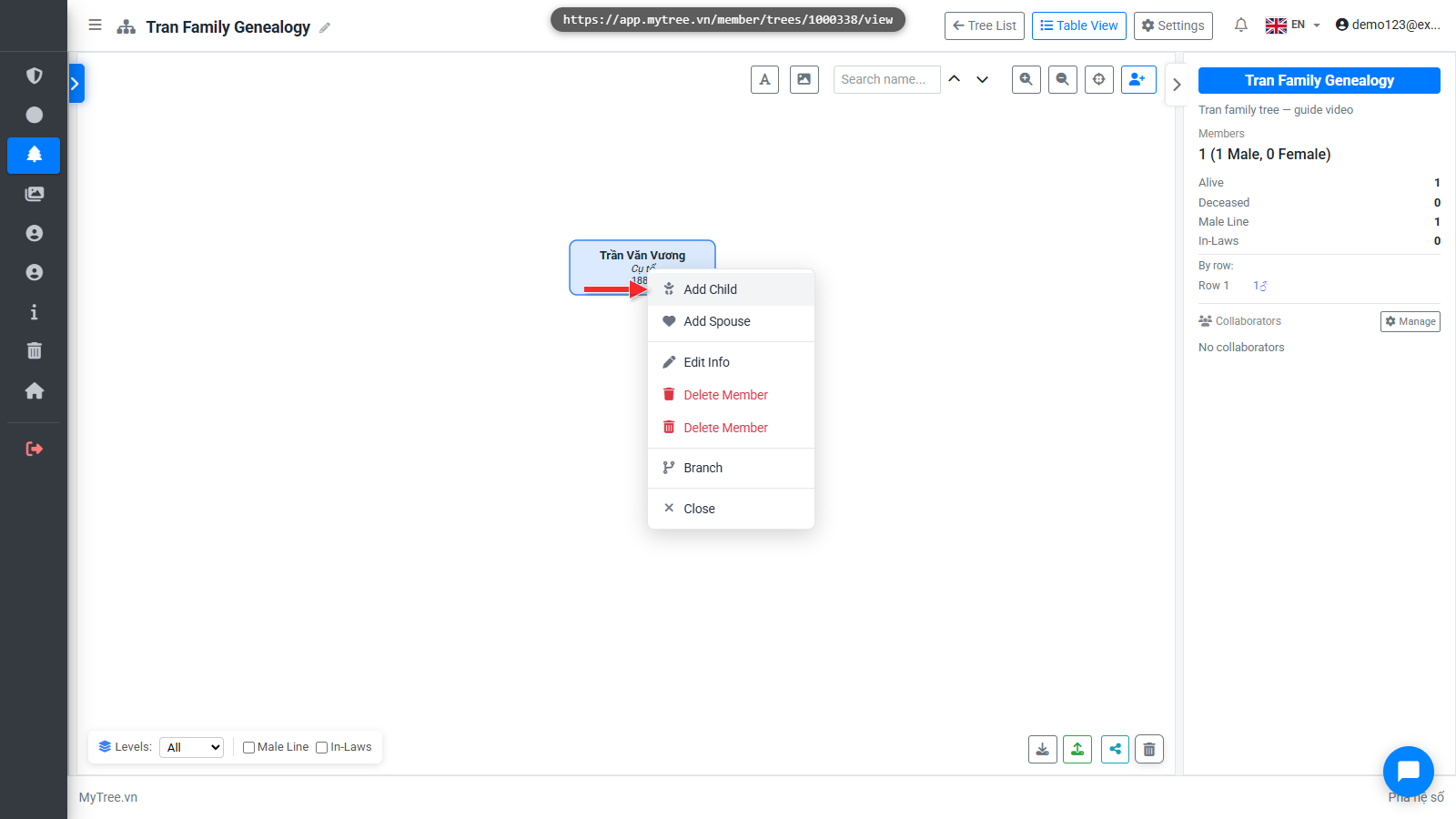
Step 8: Right-click → Add Child
Right-click on the member box to open the context menu. Select Add Child.
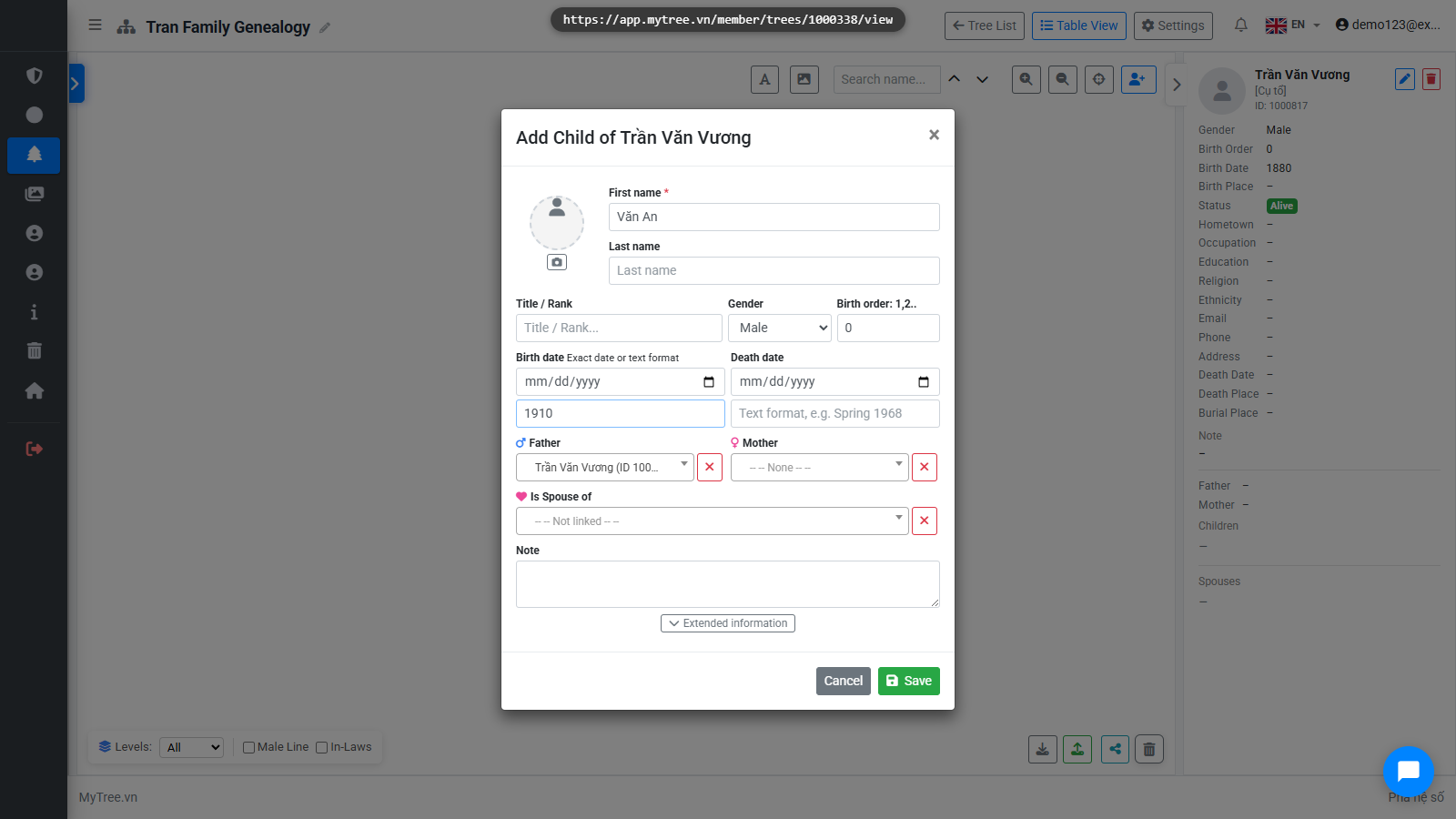
Step 9: First Child Form Filled
Enter the first child's name and select gender, then click Save.
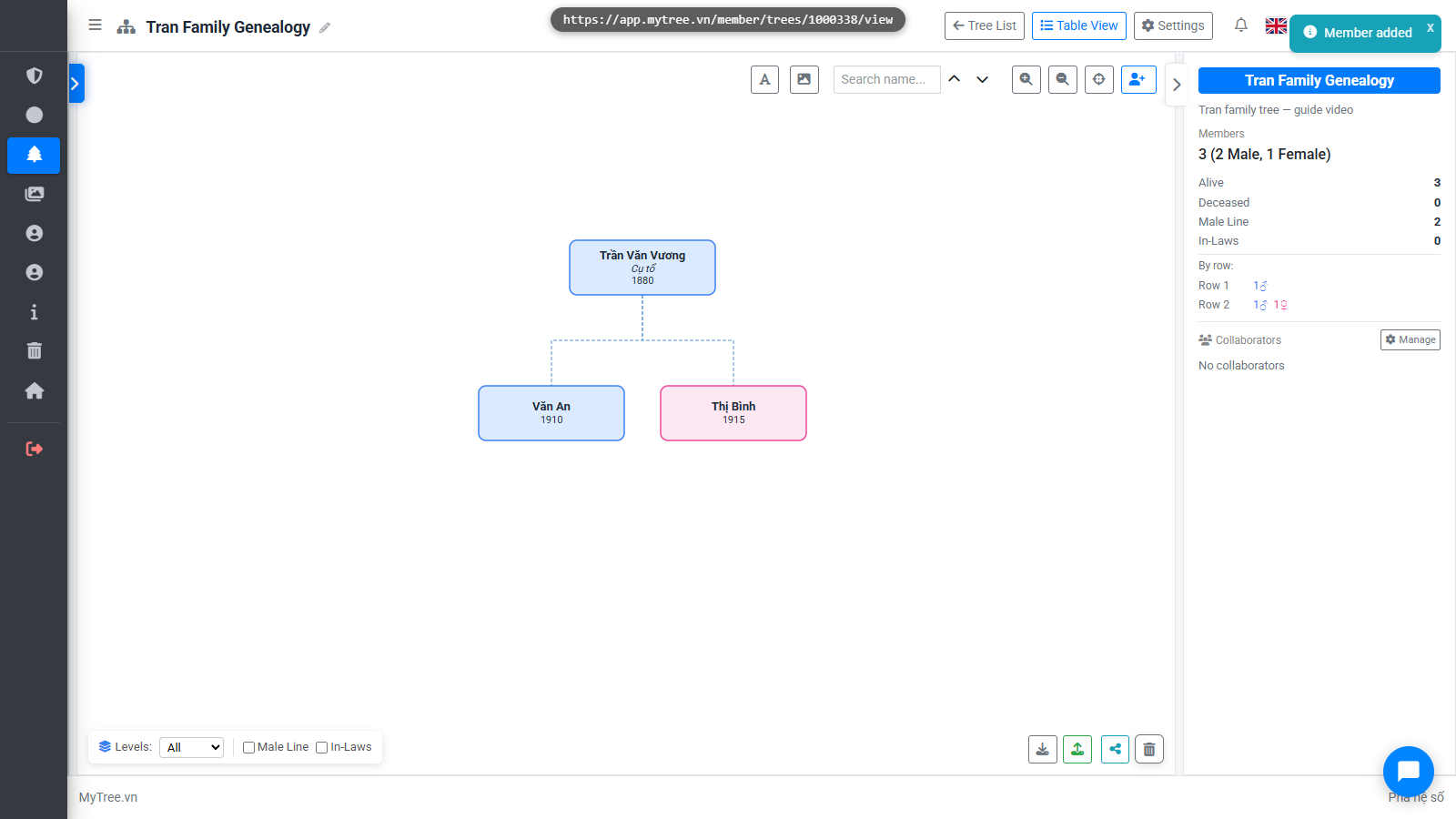
Step 10: Tree with 2 Children
Enter the second child's information.
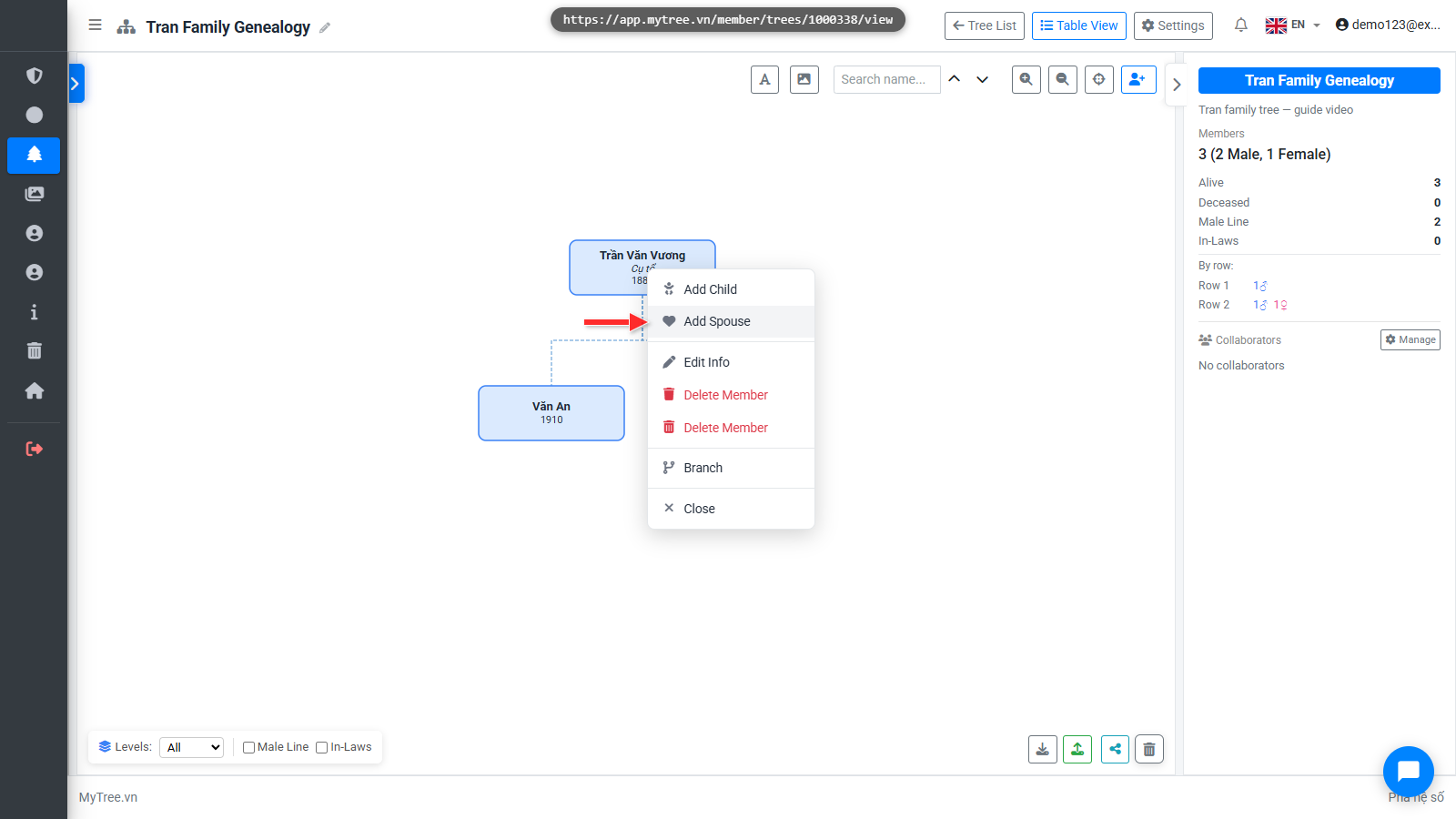
Step 11: Right-click → Add Spouse
To add a spouse, right-click on the member and select Add Wife or Add Husband.
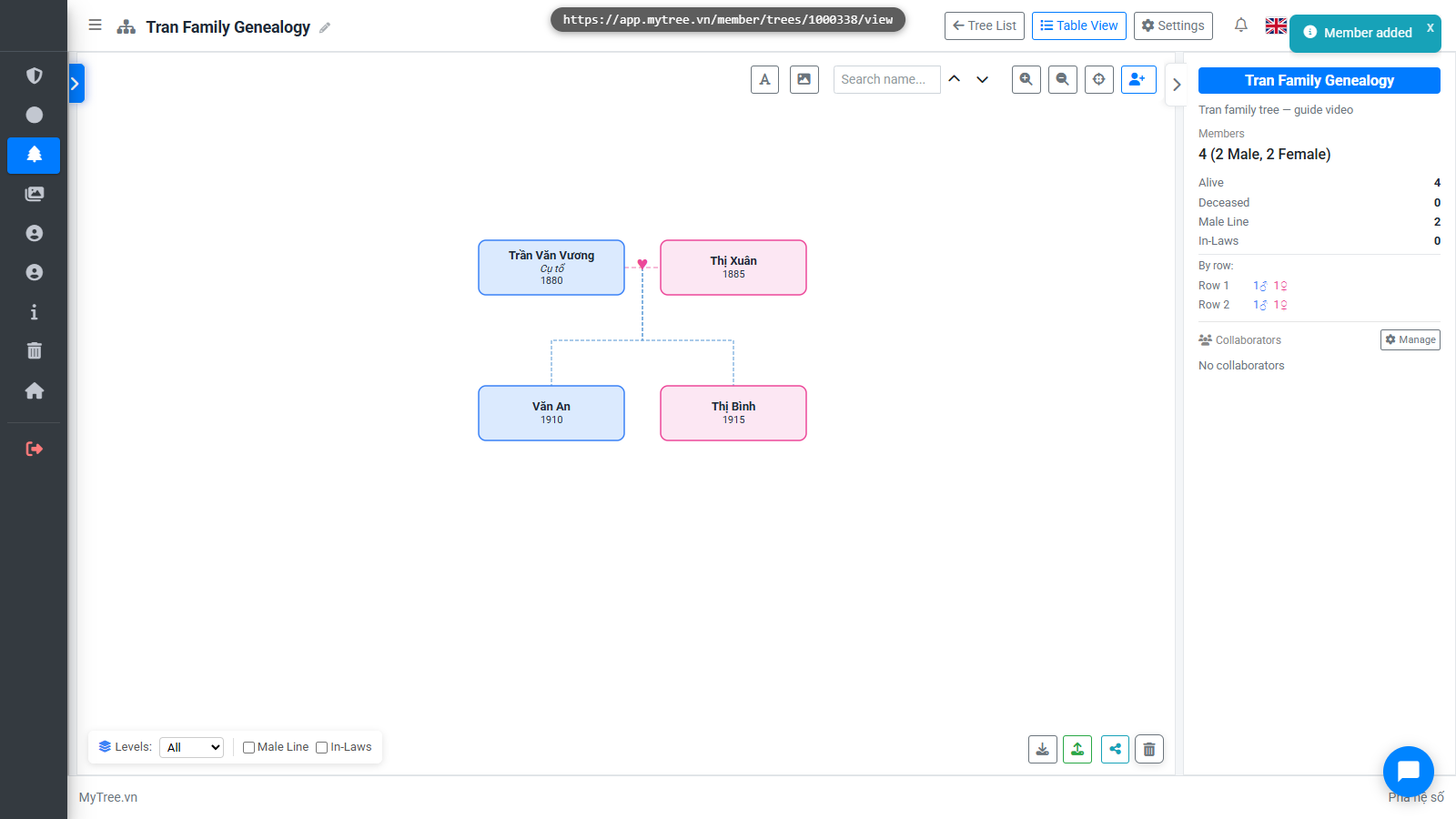
Step 12: Tree After Adding First Spouse
Enter the spouse's name and information.
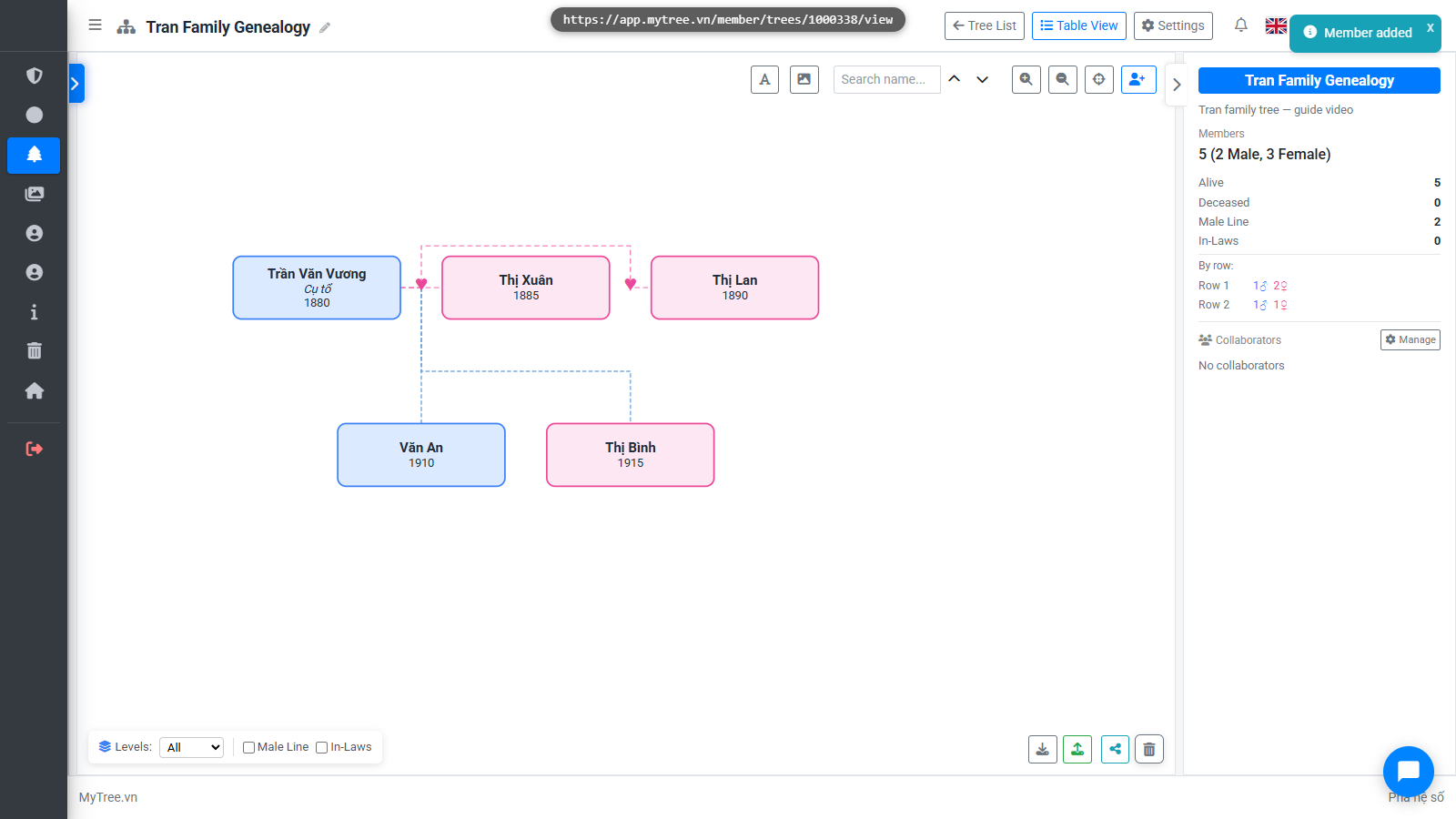
Step 13: Tree After Adding Second Spouse
Enter the second wife's name.
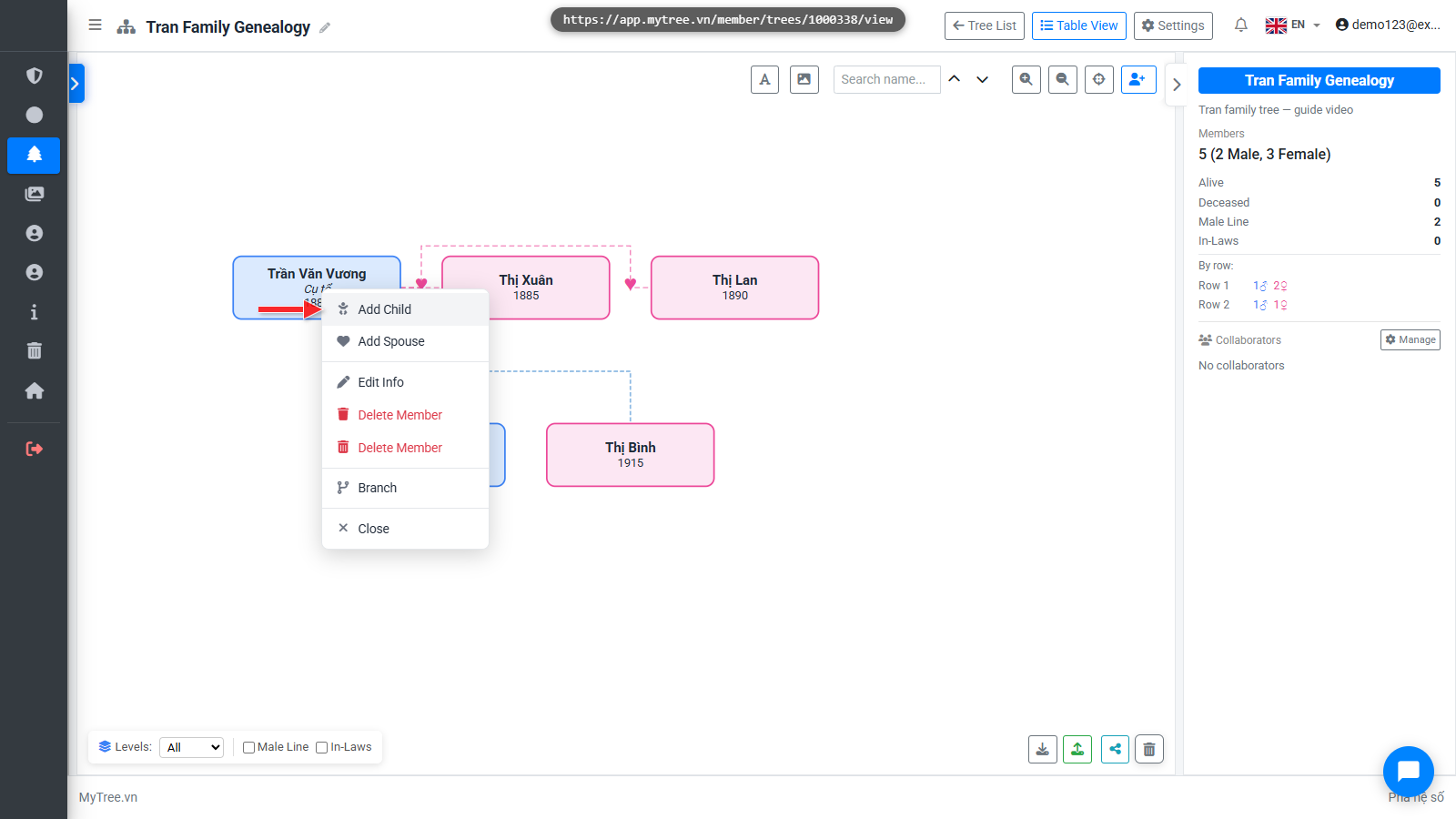
Step 14: Right-click → Add Child (2nd Spouse)
Now add a child and assign the mother as the second wife. Right-click on the root member and select Add Child.
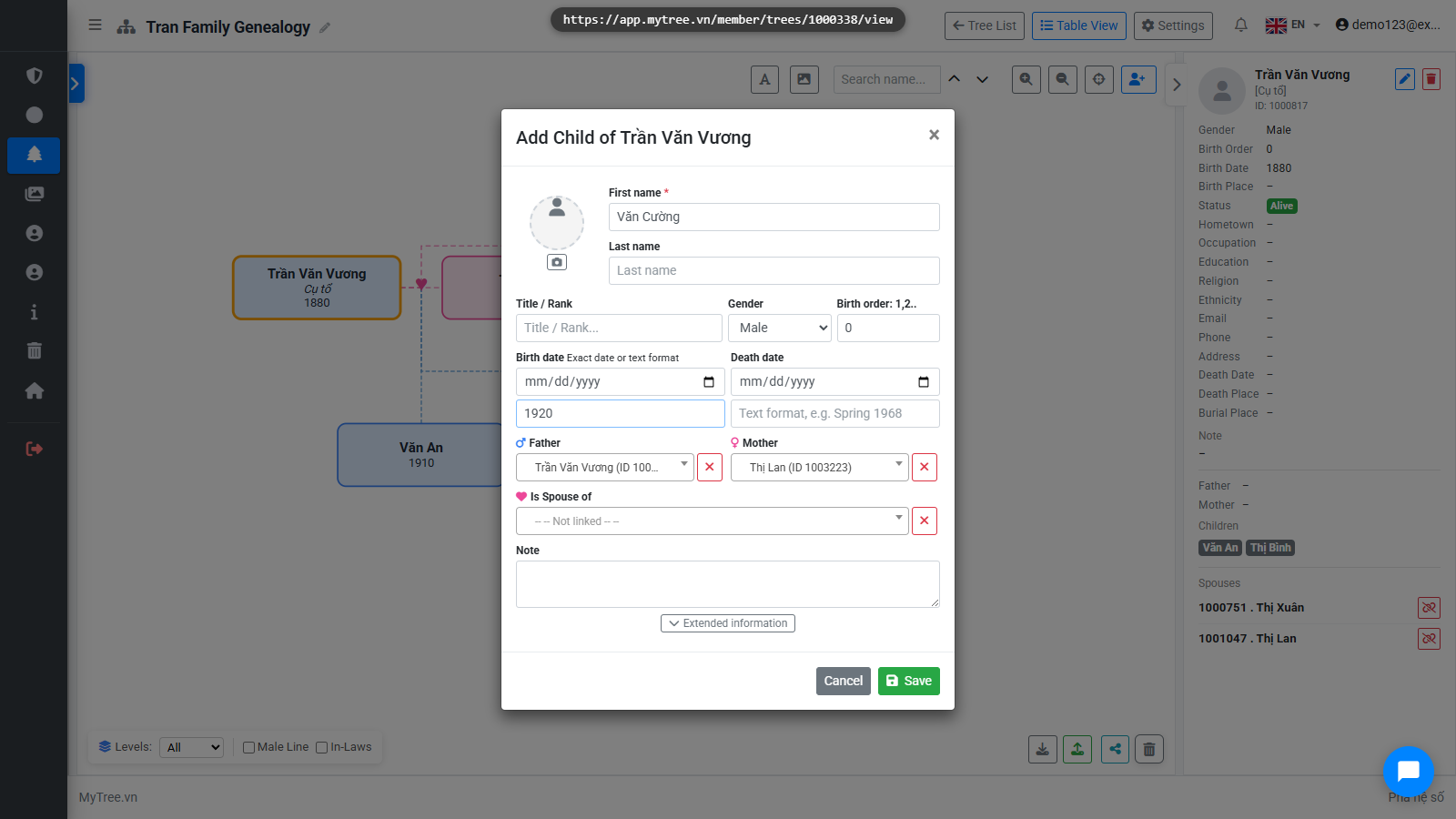
Step 15: Child Form with 2nd Spouse as Mother
In the Mother field, select the second wife from the list. Enter the child's name.
Step 16: Connections Match 2nd Spouse Mother
The tree shows the correct connection — this child is linked to the second wife.
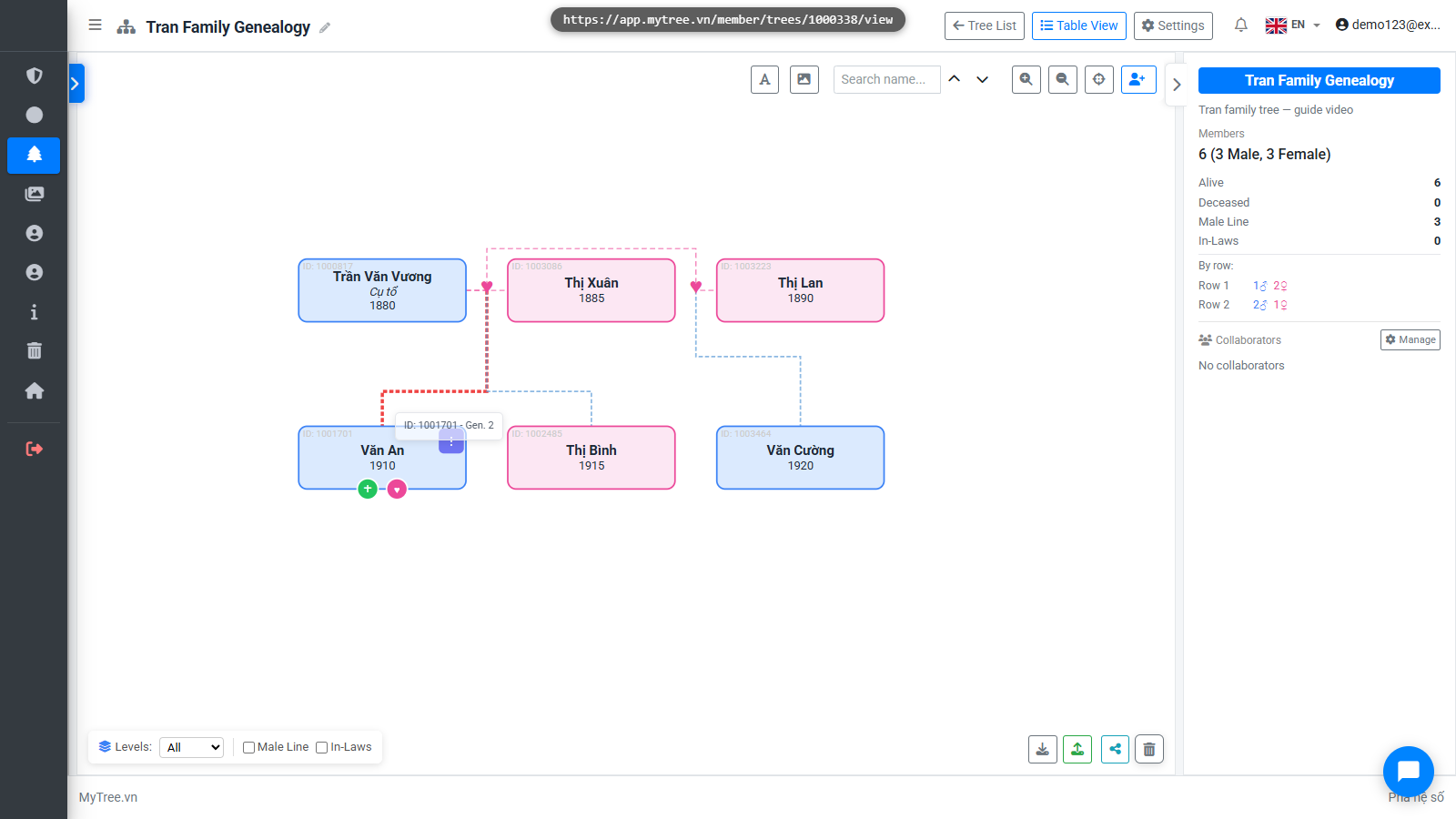
Step 17: Right-click → Edit Member
To edit information, right-click on a member and select Edit, or double-click on the member.
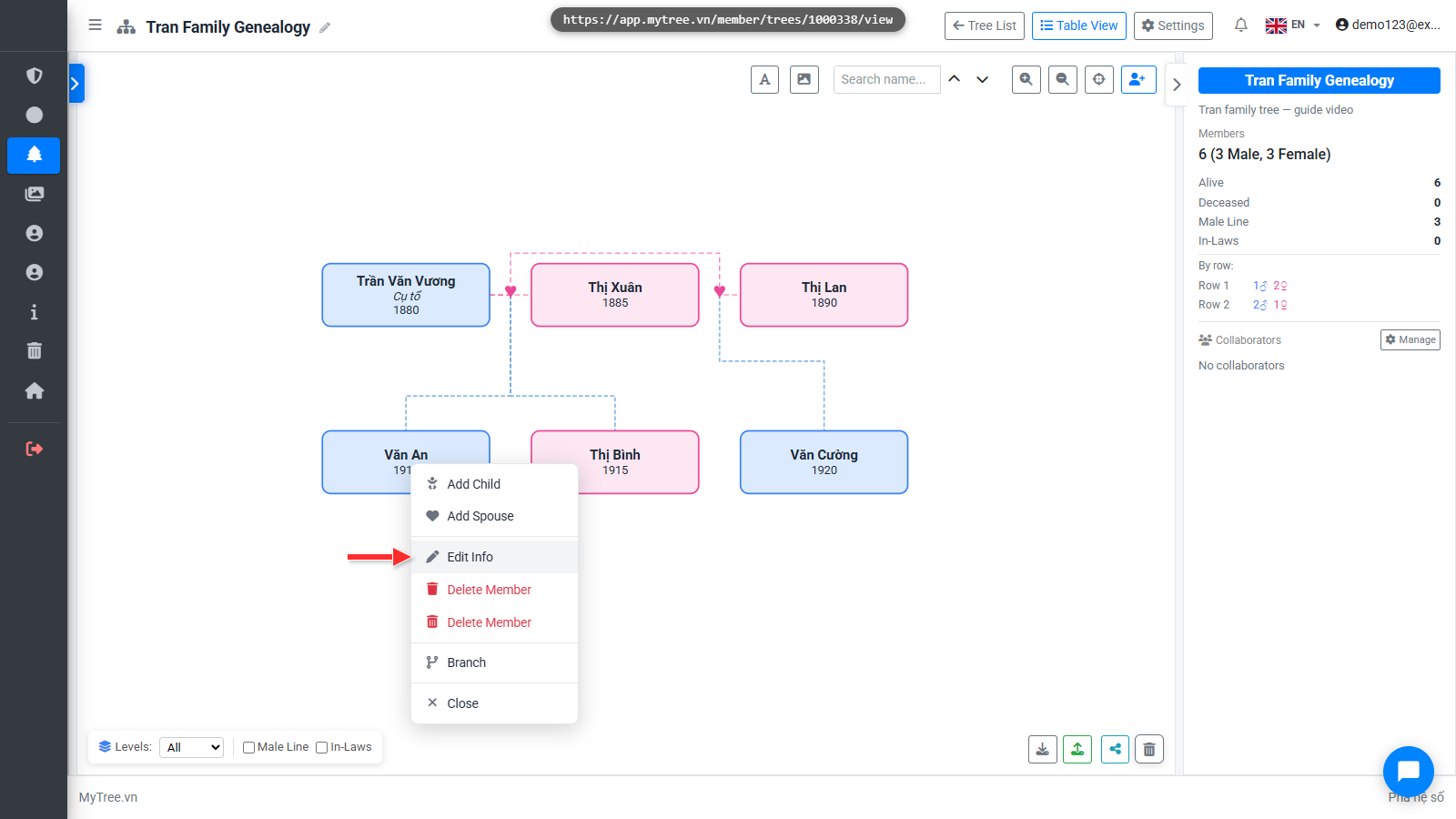
Step 18: Right-click → Edit Member
To edit information, right-click on a member and select Edit, or double-click on the member.
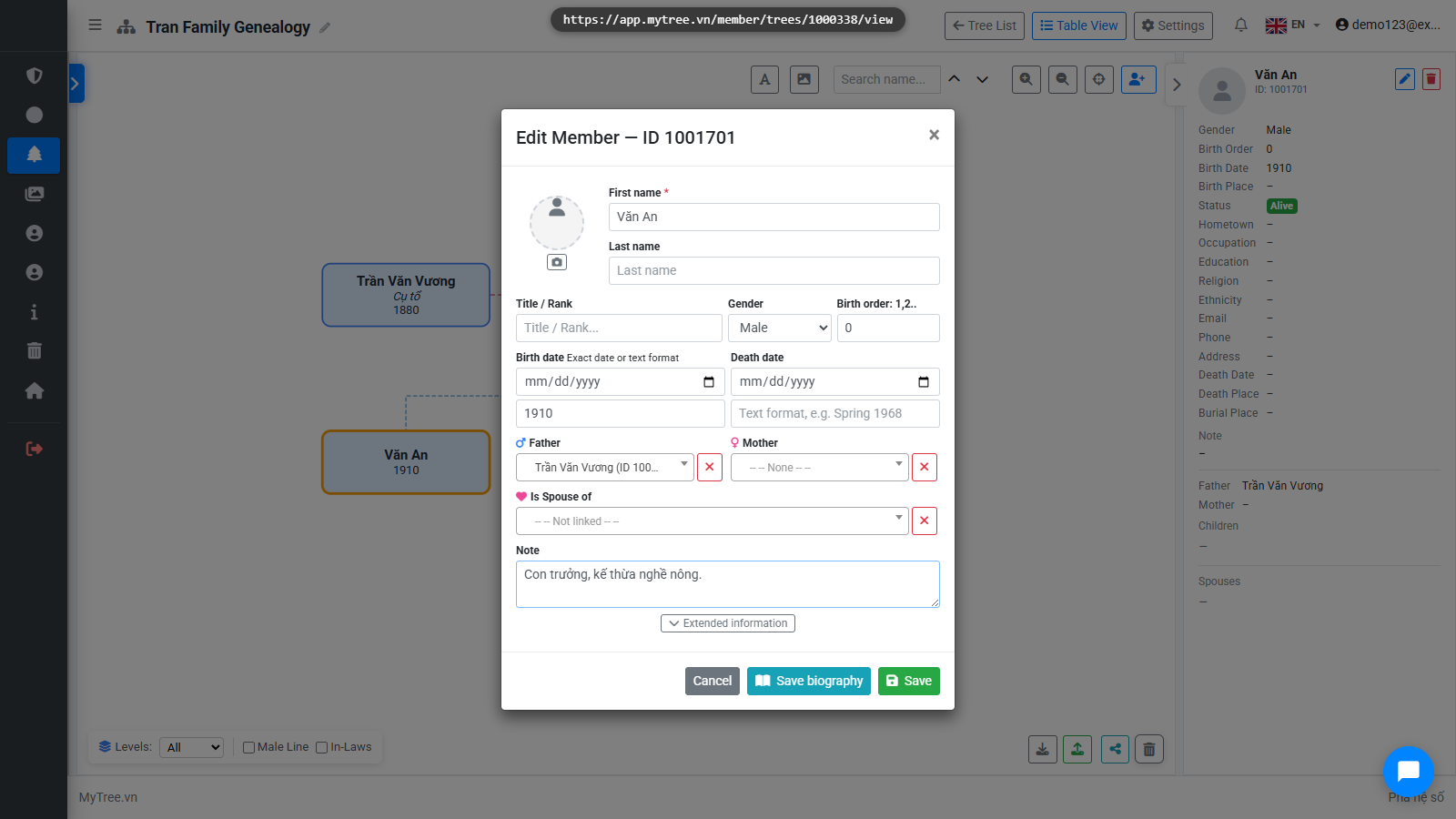
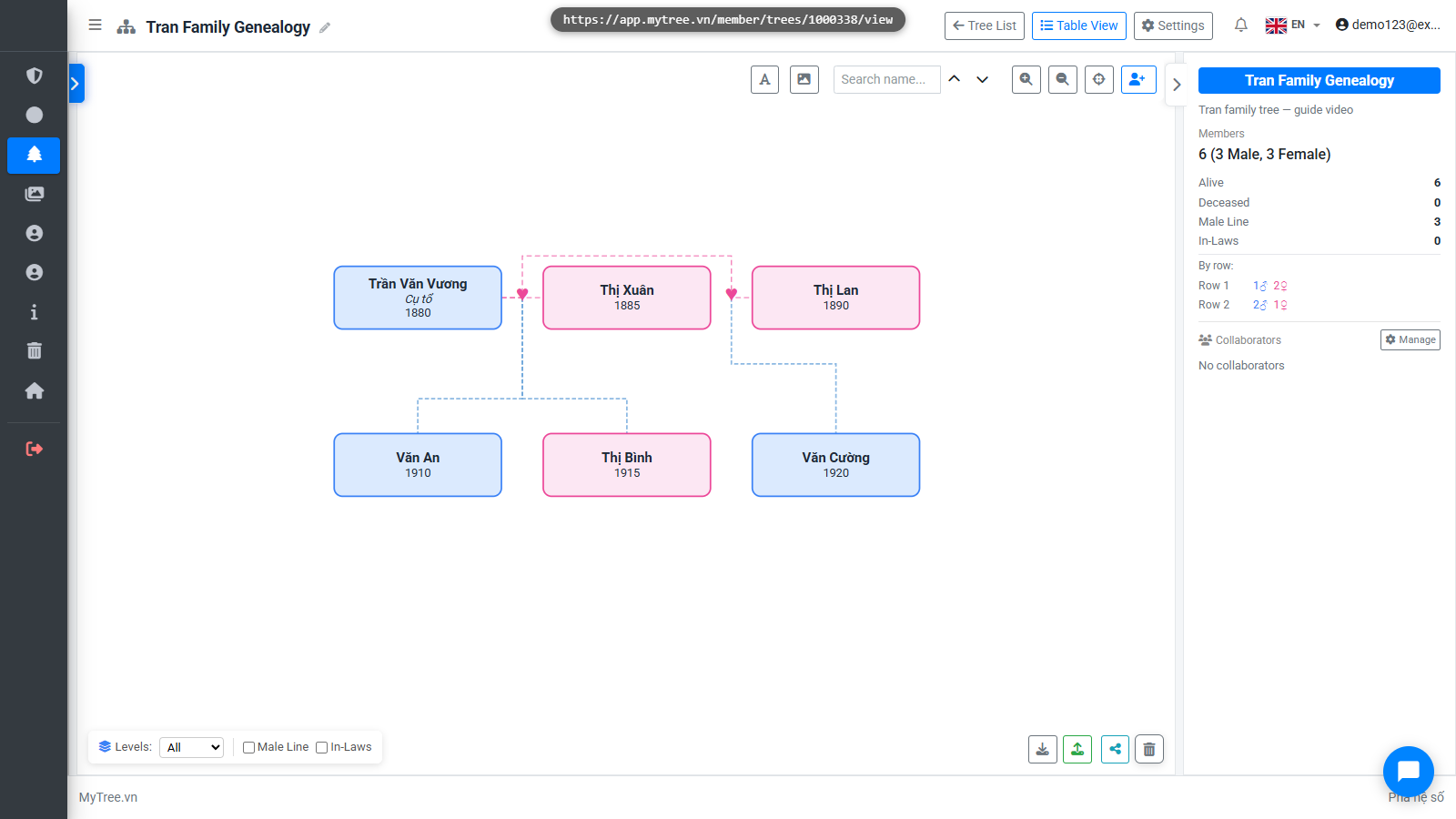
Step 19: Completed Family Tree
The family tree now has all members with correct parent-child and spouse relationships.